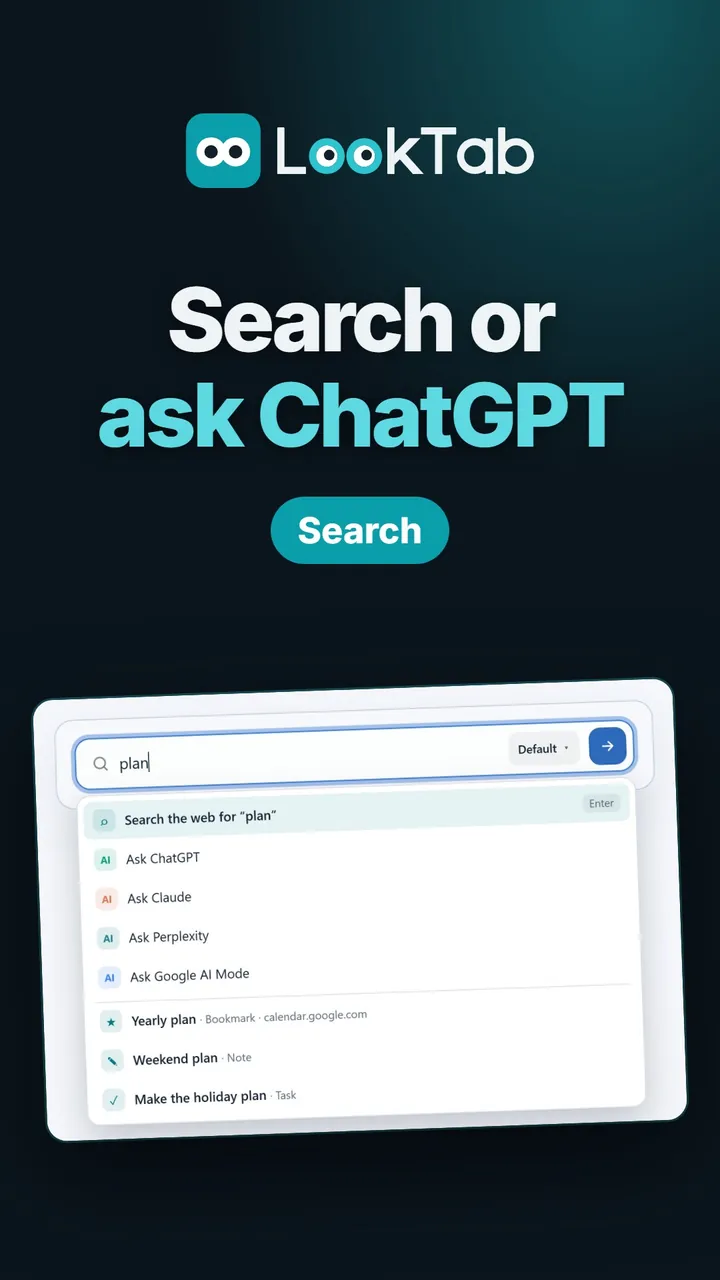
What the video shows
Search, or ask an AI. Your browser's search engine, or ChatGPT, Claude, Perplexity and Google AI Mode in one click.
Search your own things too. Your bookmarks, notes and tasks show up as you type.
Instant answers. Sums, percentages, unit conversions and date questions, no search needed.
Straight there with shortcuts. Type a short code first to search YouTube or Wikipedia directly. Add your own shortcuts too.
Make it look your way. Widget style and accent colour, with a live preview.
Light or dark. Widgets follow the theme you pick.
Watch on YouTubeQuestions about this widget
Does it change my search engine?
No. The search box uses the search engine set in your browser.
Where does my AI question go?
It opens as a new chat on the assistant's own site.
Is it free?
Yes. LookTab is free, needs no account and shows no ads.
Open a tab. See your day.
Set up in a minute. No account, no ads, no fuss.
For Chrome, Edge, Brave and other Chromium browsers